
Tiki Tumble Pokie
by Push Gaming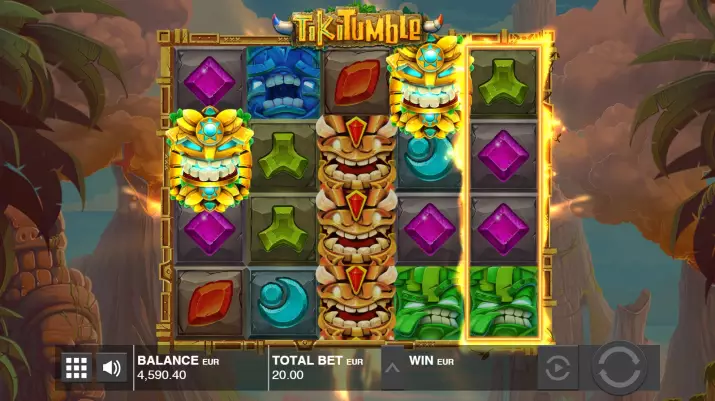
-
0.2 - 100 €Bet
-
96.49%RTP
-
MiddleVolatility
-
20Lines
-
5Reels
-
YesScatters
-
YesFree Spins
-
NoRespins
-
YesBonus games
-
YesJokers
-
Yes3D slot
Best Push Gaming Casinos in New Zealand




Push Gaming has released a pokie machine about the culture of Polynesia. Tiki Tumble is dedicated to the wooden statues of the local gods, called "tiki" by the Maori. There are numerous stacked combinations, unlimited free spins and special jokers.
Where to Play Tiki Tumble pokie?
You can play online at any trusted online casino.
Play Free Demo slot
A free demo version of the pokie machine is offered on Casinoz. You can play Tiki Tumble for money at the online casinos listed under the article.
Verified NZ Online Casinos with pokie
If you decide to experience the full range of emotions of playing for real money, then we recommend that you play exclusively at proven and reliable online casinos.


Best Tiki Tumble bonuses
-
 Free €5 Bonus for Registering at SlottyWay Casino5 €max. amountx75Wager
 -
 Free €5 Bonus for Registering at AllRight Casino5 €max. amountx75Wager
 -
 Light bonus 100% up to €50 + 20 FS on first deposit at Bet It All100%Bonus50 €max. amountx25Wager
 -
 Huge High Roller Bonuses at Cat Casino100%Bonus25 000 $max. amountx35Wager
 -
 A 100% Welcome Bonus of up to 1000 Euros at Joo Casino100%Bonus1 000 €max. amountx50Wager
 -
 100% Welcome Bonus of up to 250 Euros at Spark Casino.100%Bonus250 €max. amountx45Wager






How to Play pokie
Video pokie "Falling Tiki" consists of five reels. In the columns are placed on four pictures (scheme 5x4).The game is played on twenty fixed lanes. Each takes from one cent to five euros. Total available twelve possible bets in the range from 0.20 to 100 euros per spin.
The Tiki Tumble pokie machine features base images, stacked jokers, scatters, Nudging Wilds feature and free spins.
Payable combinations are made up of three, four or five identical elements that line up in a continuous chain on the active line. Sequences always start from the first column on the left.
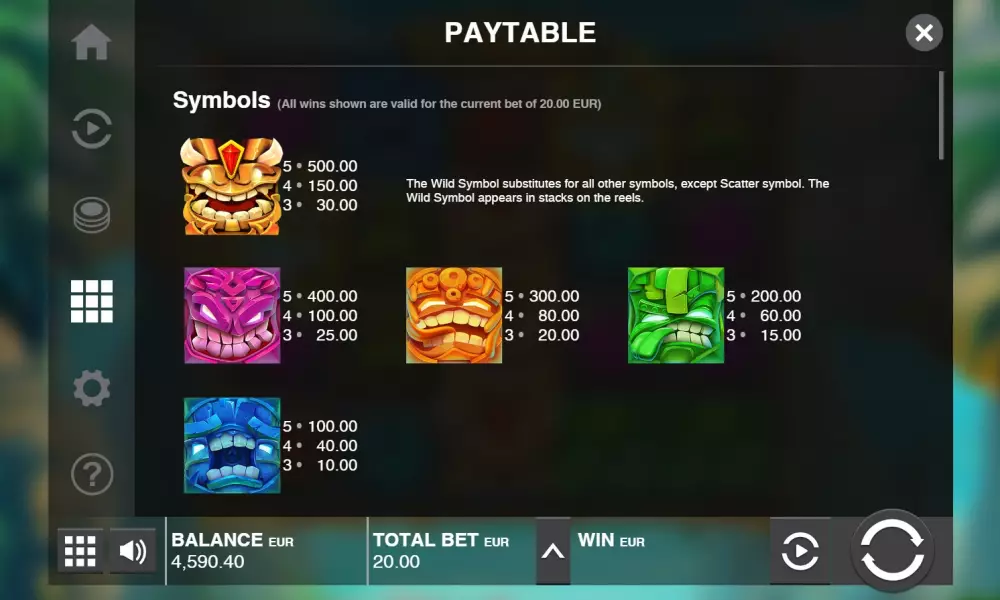
Winnings are calculated by coefficients from x4 to x500, which are multiplied by the bet on one line. Exceptions to the rules are described below in the review of Tiki Tumble from Casinoz.
There is no doubling game.
Screenshot

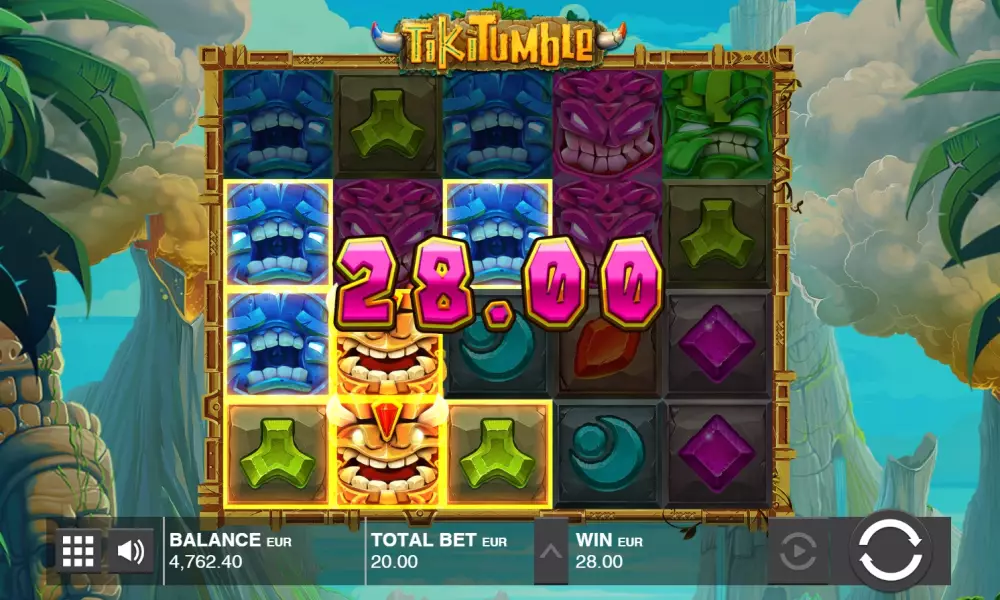
Tiki Tumble Symbols, Wild, Scatter
On reels video pokie developers depicted gems and statues of Polynesian deities. Symbols of the same type fall out in columns in vertical stacks.Let's look at the features of special pictures:
- Wild is represented by chains in all columns. He forms combinations on common grounds and replaces the usual icons. In addition, the joker activates the Nudging Wilds feature.
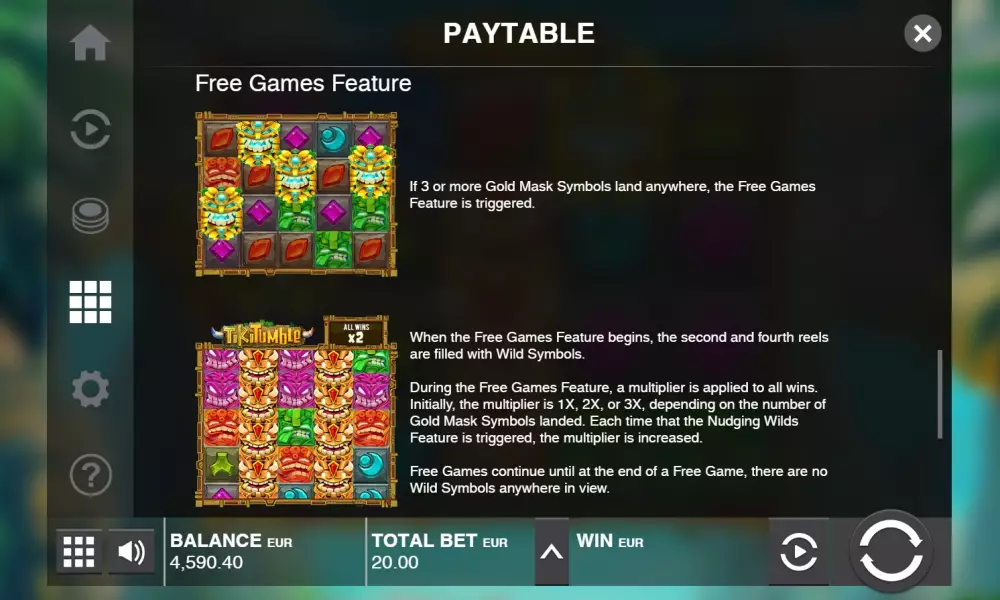
- Scatter triggers free spins. They start when three or more scatters appear in any cells on the screen.
-
 Yellow mask
 -
 Pink mask
 -
 Orange mask
 -
 Green Mask
 -
 Scatter
 -
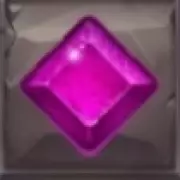 Pink stone
 -
 Red stone
 -
 Greenstone
 -
 Blue stone
Bonus games
Next, let's talk about the prize drawings:- Nudging Wilds starts when a joker occupies the top one, two or three cells in any column. With each subsequent spin, this reel shifts one position until the Wild symbols disappear off the screen.
- Free Games - Before the free spins begin, the second and fourth columns are filled with jokers. In the first spin, they occupy the columns in their entirety. Then these reels are spun according to the rules of Nudging Wilds. Free spins continue as long as there is at least one joker in the visible part. The game is played with online casino funds at an unchanging bet. Rounds take place in automatic mode.
Tiki Tumble pokie free spins
The pokie machine features a series of free spins.
Jackpots
Push Gaming does not play progressive jackpots in Tiki Tumble.RTP, Volatility & Hit Frequency
Automate has a theoretical return of 96.49 and its volatility is average.
Comparison Tiki Tumble pokie with analogues
| Tiki Tumble | Wheel of Happiness | 15 Stars Ablaze | Emerald Glory 7s | |
|---|---|---|---|---|
| RTP | 96.49 % | 96.47 % | 95.85 % | 96 % |
| Volatility | Middle | High | Middle | High |
| Lines | 20 | 243 | 1 | 5 |
| Reels | 5 | 5 | 5 | 3 |
| Release date | 17 February 2018 | 8 January 2026 | 13 October 2025 | 9 October 2025 |
| Scatters | ||||
| Free Spins | ||||
| Respins | ||||
| Progressive multipliers | ||||
| Jokers | ||||
| Max payout | 500 | 4000 | 2316 | 10000 |
| Bonus games |
Strategy: How to Win at pokie
The theoretical return on Tiki Tumble is 96.49, which is not considered high. The volatility of the game is high, indicating that the gambler is bound to encounter a series of losses during long betting stretches. Success depends only on fortune, so you should rely on it.
It is possible to use the Martingale strategy or other betting systems, but it should be understood that they will not affect the RTP.
More Push Gaming pokie machines
| Slot | RTP | Volatility | Maxwin | Release date |
|---|---|---|---|---|
| Shamrock Saints | 96.30 % | High | 10000 | 5 March 2024 |
| Big Bite | 96.33 % | Middle | 10000 | 22 February 2024 |
| Bison Battle | 95.35 % | High | 50000 | 13 January 2022 |
| Razor Shark | 95.05 % | High | 85475 | 20 August 2019 |
| Dragon Sisters | 96.73 % | 750 | 04.05.2017 |
Interface
Only three boxes are signed on the main screen of the video pokie:- Balance - money on the account
- Total Bet - call the betting panel
- Win - winnings per spin
The left is a menu button with five sections:
- Auto play parameters
- Betting Window
- Payout Table
- Adjustable settings
- Help section
You need to play the pokie machine in the browser version on your computer. About video slot for mobile casinos read below.
Pokie video review
New Push Gaming


Mobile Compatibility
You can play the Tiki Tumble video pokie at mobile casinos. The adapted version of the interface runs on smartphones and tablets. The model is displayed in landscape and portrait screen orientations. It has all the game features available in the basic version. Mobile pokie machine Tiki Tumble can be used without problems even on weak devices.Other games


Should You Play Slot for Real Money in New Zealand?
The variability and theoretical return are at an average level. Write reviews about the video pokie and rate it.
Frequently asked questions
The Tiki Tumble machine has a browser-based mobile version.
The Tiki Tumble game has 20 paylines.
Tiki Tumble pokie machine has 5 reels.
- Interesting possibilities of jokers
- Unlimited free spins
- Intuitive interface
- Not a very convenient payout table
- Few customizable settings
- Low theoretical return

To leave a comment, you must log in:


| Category | Pokies |
| Manufacturer |

|
| Theme | Classic Slots, Gold, Jewels, Ancient Civilizations |
| Min bet | 0.20 € |
| Max bet | 100 € |
| RTP | 96.49% |
| Max multiplication | 500 : 1 |
| Is free test available | Yes |
| Mobile version | Yes |
| Release date | February 17, 2018 |
| Progressive jackpot | No |
| Reels number | 5 |
| Lines number | 20 |
| Wilds | Yes |
| Scatter | Yes |
| Gamble Feature | No |
| Bonus games | Free Spins, Free Spins Multiplier, RTP range, Substitution Symbols, Scatter symbols, Wild |
| Volatility | Middle |
| 3D slot | Yes |
| Respins | No |
| Freespins | Yes |
| Progressive multipliers | No |
| Bet line | 0.01 - 5 |
-
5.5
-
6.6
-
5.4
-
6.6
-
4
-
6
-
6.2
-
6.1
-
6.6
-
5.6