
Sugar Rush Winter Pokie
by Pragmatic Play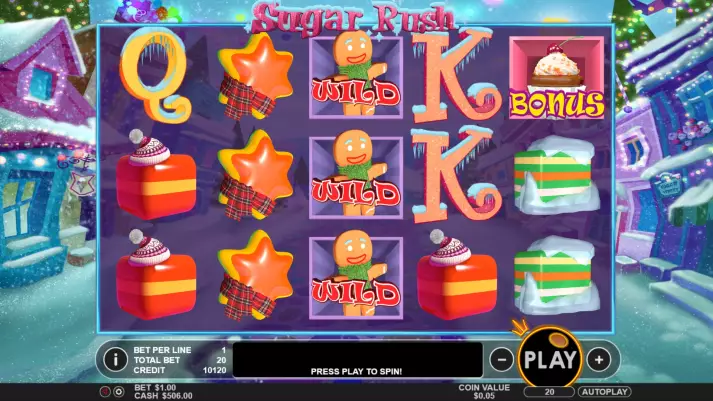
Sign Up in VAVADA Casino & Use promo code & Play
promo code
CASINOZ
Leave the first review
Available from United States
-
0 - 100Bet
-
96.52%RTP
-
20Lines
-
5Reels
-
YesScatters
-
NoFree Spins
-
NoRespins
-
YesBonus games
-
YesJokers
-
No3D slot
The latest update
31.07.2024
Best Pragmatic Play Casinos in New Zealand




Expert opinion
The gaming portfolio of Pragmatic Play company includes a series of popular video slots «Sugar Rush», designed for gambling sweet-teeth. This review is devoted to the «winter» version of this slot, which perfectly suits Christmas and New Year celebrations. The experts of Casinoz have tested the game and described its features in the detailed article.
Table of contents
Where to Play Sugar Rush Winter pokie?
Play Free Demo slot
Verified NZ Online Casinos with pokie
Best bonuses
How to Play Sugar Rush Winter (Pragmatic Play)
Wild, Scatter symbols
Bonus games
Jackpots
Comparison Sugar Rush Winter with analogues
More Pragmatic Play games
Interface
New Pragmatic Play
Other games
Should You Play for Real Money in New Zealand?
Where to Play Sugar Rush Winter pokie?
Play Free Demo slot
A free version of this slot is available for testing directly at Casinoz. Make sure you watched a video from our experts. It shows free spins, bonuses and other options in action.To play on «Sugar Rush Winter» slot machine for real money, please pass registration at one of the online casinos powered by Pragmatic Play. Logos of such websites are presented below.
Please don't be shy to share your impressions of the game. You can write responses and rate the slot.
Verified NZ Online Casinos with pokie


Best Sugar Rush Winter bonuses
-
 Free €10 Bonus at Slottica Casino10 €max. amountx75Wager
 -
 Free 5 Euro for Registering at Lucky Bird Casino5 €max. amountx75Wager
 -
 Free €5 Bonus for Registering at SlottyWay Casino5 €max. amountx75Wager
 -
 Free €5 Bonus for Registering at AllRight Casino5 €max. amountx75Wager
 -
 Welcome Bonuses and Free Spins at 1xBet Casino200%Bonus1 500 $max. amountx35Wager
 -
 Light bonus 100% up to €50 + 20 FS on first deposit at Bet It All100%Bonus50 €max. amountx25Wager






How to Play pokie
«Sugar Rush Winter» online online slot machine has five reels of symbols, designed for making paid combinations. The screen fits fifteen symbols.You can play by all twenty active lines only and place same bets per each of them. The slot accepts up to ten coins of value from one to fifty cents per each. This way, it is possible to stake from twenty cents to one hundred dollars per spin.
Except the basic symbols, this slot offers some special elements, free spins, a bonus round and other prize features.
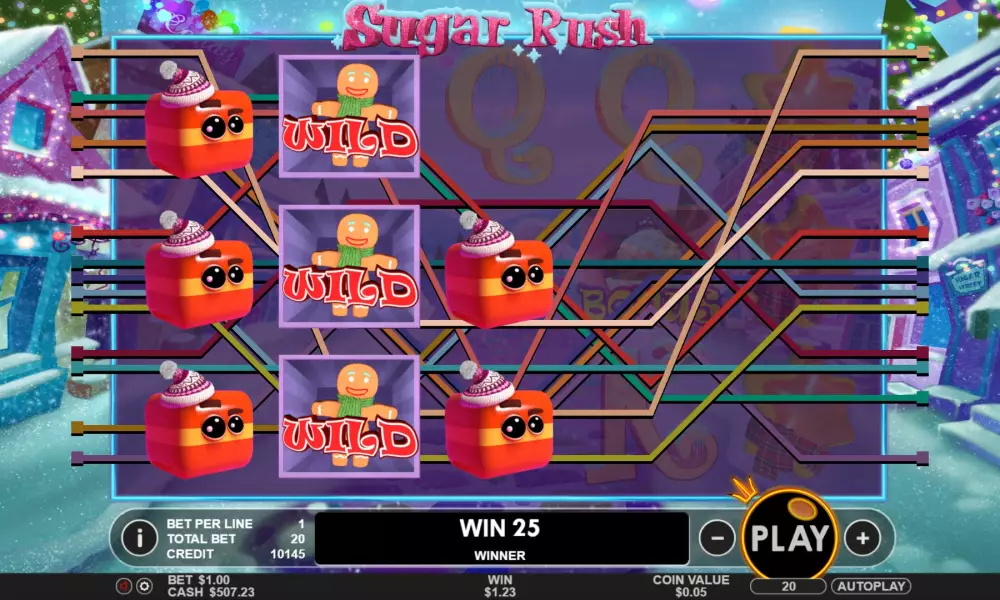
Winning combinations are formed of the ordinary symbols at twenty active lines. Several same elements have to be situated next to each other, starting from the first left reel necessarily.
An amount of the payoff is calculated by multiplying the bet per line by the index of formed combination. It might be from x5 to x1000 here. Multiply combinations are formed in result of a single spin quite often.
A game of chance is not provided by the rules of «Sugar Rush Winter». Please read about exceptions, bonuses and free spins below.
Screenshot
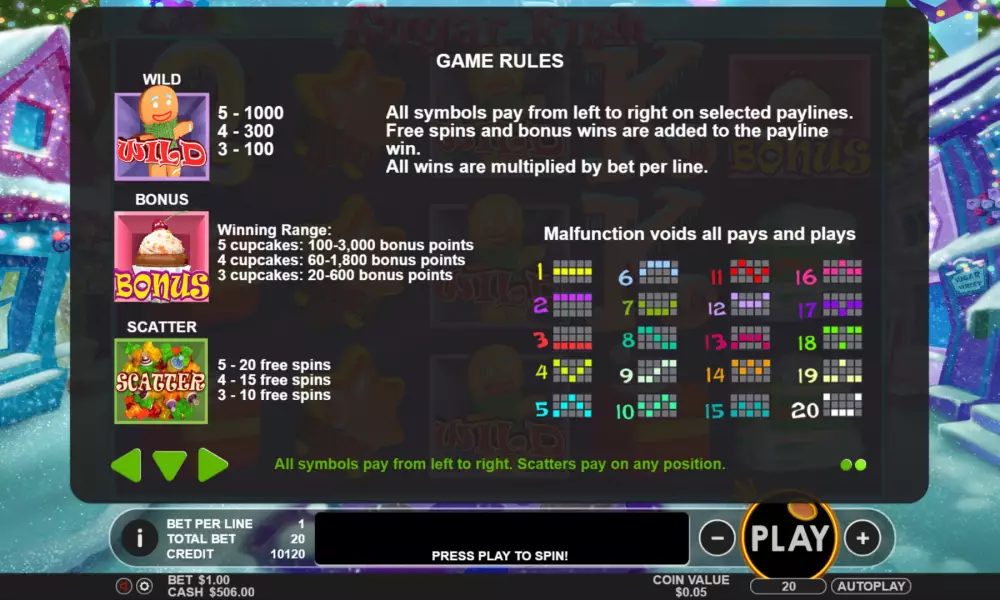
Sugar Rush Winter Symbols, Wild, Scatter
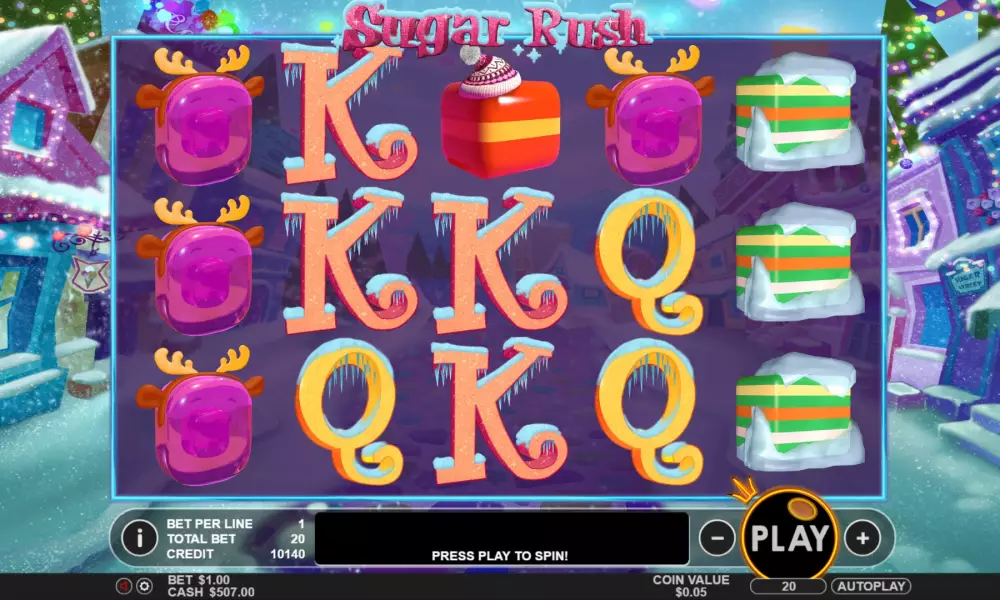
The gaming symbols, imaged at the screen of this slot, are icy card sings from queen to ace, as well as Christmas sweets. All symbols can drop in long vertical stacks at the reels.There are also some special symbols here:
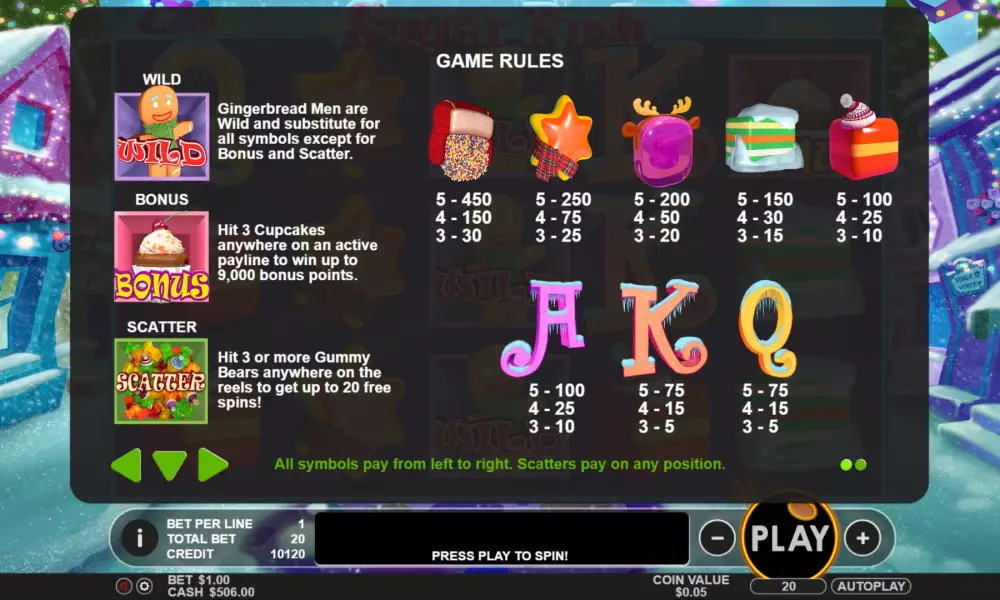
- Wild (a gingerbread man) brings payoffs on its own and replaces ordinary symbols in combinations when necessary.
- Scatter (jelly bears) triggers free spins by three and more such symbols anywhere at the screen.
- Bonus (a cherry cake) triggers the prize round when at least three such symbols show anywhere at the screen.
Bonus games
Now about the prize features of this video slot:- Free Spins – three, four or five Scatters trigger ten, fifteen or twenty free spins accordingly. The game goes on the casino expense and an amount of the bet remains the same.
- Bonus – you need to pick different sweets to make a festival cake of them. The items are moving at the top part of the screen. When the desired object it situated above the vertical stick, you need to click at the button to pick it. You can get a payoff or leave with empty hands. Please read the rules on the Help.
Jackpots
Pragmatic Play doesn't play off a progressive jackpot on «Sugar Rush Winter» slot machine.Comparison Sugar Rush Winter pokie with analogues
| Sugar Rush Winter | Diamond Mole | Mine Gems | Ammit Hellfire | |
|---|---|---|---|---|
| RTP | 96.52 % | 96.31 % | 98.40 % | 96 % |
| Volatility | High | High | ||
| Lines | 20 | 20 | ||
| Reels | 5 | 6 | 5 | |
| Release date | 2016 | 19 February 2026 | 19 August 2024 | 26 January 2026 |
| Scatters | ||||
| Free Spins | ||||
| Respins | ||||
| Progressive multipliers | ||||
| Jokers | ||||
| Max payout | 1000 | 25000 | 14 | 6000 |
| Bonus games |
More Pragmatic Play pokie machines
| Slot | RTP | Volatility | Maxwin | Release date |
|---|---|---|---|---|
| Steamin` Reels | 96.53 % | High | 5000 | 19 March 2026 |
| Lucky Fortune Tree | 96.50 % | Middle | 8000 | 12 January 2026 |
| Lucky Monkey | 96.50 % | Middle | 5000 | 12 May 2025 |
| Might of Ra | 95.25 % | High | 22500 | 17 February 2023 |
| Chicken Chase | 95.48 % | Middle | 210 | 3 April 2022 |
Interface
You can see the following elements at the control panel:- Bet per Line – an amount of the bet per line;
- Coin Value – select the coin value;
- Play – run a new spin;
- Total Bet – an amount of the total bet per spin;
- Win – an amount of the win;
- Credit – state of the balance;
- Autoplay – switch to automatic mode.
It is possible to set up the sound, size of the screen and other parameters. The slot was designed for browser playing, so you don't need to download this model.
Pokie video review
New Pragmatic Play


Other games


Should You Play Slot for Real Money in New Zealand?
«Sugar Rush Winter» is a colorful, funny and diverse model with interesting features, generous prizes, the stunning design and the convenient control panel. It guarantees to make you a holiday mood and please by high payoffs.We would like to add that this game has high volatility. In spite of stacks of symbols and special elements, long loosing sessions are possible. Even the round of free spins doesn't guarantees any win (please watch our video).
On the other hand, free spins and bonus rounds are quite frequent here and bring numerous payouts time after time. Due to these features, the payback of this game is average.

To leave a comment, you must log in:
Log in
Sign up
Similar Online Casinos in New Zealand

| Category | Pokies |
| Manufacturer |

|
| Max bet | 100 |
| RTP | 96.52% |
| Max multiplication | 1000 : 1 |
| Release date | 2016 |
| Progressive jackpot | No |
| Reels number | 5 |
| Lines number | 20 |
| Wilds | Yes |
| Scatter | Yes |
| Gamble Feature | No |
| Bonus games | Yes |
| Bet line | 0.01 - 5 |
Top casinos in New Zealand
-
6.3
-
5.4
-
6.3
-
6
-
6.6
-
6.3
-
5.5
-
6.1
-
4
-
6.6







All casinos
(470)
New games


Top-5 slots


The Best Casino Bonuses
